Now you can add pictures to chat - and, if they are not too big (!), you can see them without having to scroll.
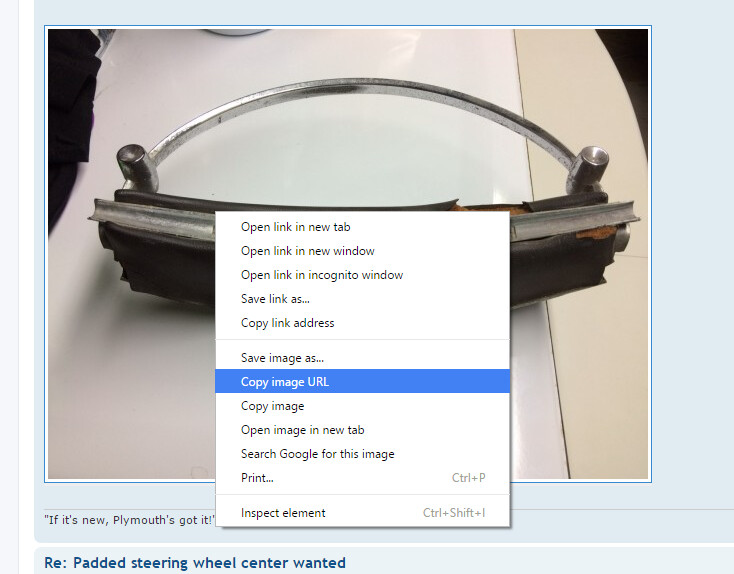
Here are the steps. First, find the picture you want on any website, right-click on it, and select “Copy Image URL”:
Then, go to the chat text box, and click the “BBCodes” button. Add whatever commentary you want, right-click in the text box and choose “Paste”:

Then, highlight just the URL you pasted in by holding down the left mouse button and dragging over the text:

Then, click the “Img” button:

Click at the end of the line, and hit enter. Voila! Your picture is in the chat. (Note the scroll bar, because I chose a large image):

Dan